Artists' Discovery Thread [Share ideas and techniques here]

6 pages • Page 2
Invertation
Invertation
Krytan Explorer
• #21
Quote: Originally Posted by Verene View Post
Oh for...

Photoshop does not automatically make one a good artist. There is no "make perfect art" button. It's a bloody tool for creating art. Truth, truth. If that were so, I would be one of the many artists here taking commissions rather than eying them enviously.
Photoshop plays more to a level of convenience for any user though. Someone like me who prefers not to delve into the greater complexities of art can fool around with a few filters for fun and get simple pleasing results. Alternately, there are the greater artists who can assemble a masterpiece that would rival the best canvas works; time and complication saved and detail added through use of various techniques only Photoshop could do..
Perhaps that's just how I see it.
Nian
Nian
Wilds Pathfinder
• #22
Here's some random tips and tricks I've learnt to paint with to make artworks look more spiffy. Posting from work so it'll be really random... but mainly about character art. Don't know if this is of any use to anyone but here goes.


Hair tips:
-If you are going to color your work there is no need to make the lineart all super detailed and paint every single strand of hair. I find it looks better if you leave some empty white space for the color to fill. Restraining yourself is key.
-It doesn't matter if the colors overflow. I like to paint freely so I let the colors bleed through lineart.
-Lineart doesn't have to be super neat. Sketchy half-shaded lineart can look really nice. Lineart doesn't have to be BLACK either. It can be any color. I like to use dark red, blue and brown. It will give the whole artwork an interesting look. Here I'll use blue & red.

Basic color:


Color variation:
-I like to add some color variation to the base color to make it more interesting. I usually go crazy with this everywhere when I'm laying out the basic colors. Here it's just a blue tint on the red base color.


Darker shade:
-Here you can make use of the "empty space" and use the darker shade to paint the strands.


Light spot:
-If you're lazy like me just grab a big soft brush and make a big light spot. Add some color dodge for effect. You may need to flatten your image. (yes I used the c-word):P


Paint single strands:
-paint some stray single strands of hair on top of your lineart and color to make the hair look more lively using the light colors.


The end.
Verene
Verene
Furnace Stoker
• #23
I gotta say, I've always liked that style of coloring - but I tend to like stylized styles a lot. It's very cute
Widowmaker
Widowmaker
Krytan Explorer
• #24
Anybody here use Painter?

Since line art is pretty popular, and people have discussed line weights in the past, try playing around with the Details Oils Brush 10, obviously found in the oils section, it's a great little brush for both sketching and for line work as it has a nice variable width depending on pressure and speed. It gives a nice "randomness" to the thickness of your lines while still giving a nice neat edge with enough of the oil effect to smooth things out.

And for sketching a rough it lets you slap down some nice quick lines without looking too scratchy.
BlueXIV
BlueXIV
Wilds Pathfinder
• #25
I love painter, I just don't love USING painter :P
I like all the natural brushes and stuff, but I hate how poorly it's coded. It lags and crashes pretty often, and I'm pretty bad at saving... :\ Also you can't use more than like 5-6 layers, or there is massive slowdown. Bahhh. I'd totally use their software if they could find some more competent programmers :\

I do love their digital watercolor set tho. I used to use it a lot, back when I was more patient . It reminds me of Nian's coloring style
BlueXIV
BlueXIV
Wilds Pathfinder
• #28
Uhmm around 5x8"at 300 dpi? I usually like to work at 50% then zoom in for anything I want to add
Widowmaker
Widowmaker
Krytan Explorer
• #29
Curious then, I usually work larger than that and at 300dpi and I can't say as I've had any issues with any of the problems you've mentioned. I know I have at times had 20-30 layers without a problem.

Reason I ask is I wondered if you worked on massive 50" canvasses or something and that was causing a problem.
BlueXIV
BlueXIV
Wilds Pathfinder
• #30
Hmm... dunno. My computer isn't that crappy either... Bah w/e. I like using photoshop anyways for my STAMPSTAMP custom brushes anyways :P. Also, I don't get the transform tool in painter... :\

Anyways, I should get back to MATLAB... D:
Booooring
Verene
Verene
Furnace Stoker
• #31
I've never really used Painter much...I've used it in the past, but I just prefer Photoshop. I'm much more used to it, having been using it for 8 years =P
Widowmaker
Widowmaker
Krytan Explorer
• #32
I'll keep my advice to myself then.
BlueXIV
BlueXIV
Wilds Pathfinder
• #33
Don't get me wrong, painter is awesome... I do use it from time to time. I just enjoy using Photoshop more because it's fast, and I paint slow enough as is :\
Konig Des Todes
Konig Des Todes
Ooo, pretty flower
• #34
Decided to sticky this thread as I found it as a good thread for it to die out (if I used computer programs like photoshop to do art, I would find it helpful).
BlueXIV
BlueXIV
Wilds Pathfinder
• #35
Woo stickied!

This gives me motivation to finish uploading the second half of the crappy video I made
Duranin
Duranin
Wilds Pathfinder
• #36
I pretty much only use Paint Tool SAI nowadays. I have Photoshop 7 (it's outdated but it's legit!) for post editing and adding text/borders.

I don't get how people like drawing on very large canvasses, it drives me nuts. I like zooming in as I draw, to 300%+ so I can see each pixel. A single line would cover my whole screen if I did that with a big canvas =w='' My habit originated back when I had a much worse computer and large canvasses would make Photoshop crash.. it's stuck ever since then.
Verene
Verene
Furnace Stoker
• #37
Well, when you use a larger canvas you don't have to zoom in so far

I suck terribly at drawing on the computer (I don't know why - I have a tablet, but I just can't sketch stuff digitally), so most of my stuff I draw by hand, scan, and then ink/color/etc in PS. So I usually work at a pretty large resolution, and then just resize it down later. Like, right now I'm working on coloring a drawing I did of my sister's ele and I think I'm working at something like 1600x2400 pixels? And that's not even the largest canvas I've used. When I'm doing a digital painting I usually go even larger still.

However, it's also a habit I learned from working on the stuff I post on my dA page - I mostly do stuff like photomanipulations and fractals, and a lot of my stuff I submit as prints, so I need it to be as large as possible.
Duranin
Duranin
Wilds Pathfinder
• #38
But I like seeing each pixelllllll >o>
Also, it might just be my unsteady hand but I can't do large curves at higher sizes. I just can't. It turns out wobbly ... and I know a lot of people lineart using the pen tool (which I don't think exists on SAI) but I like drawing normally with (tablet) pen and (canvas) paper, at actual size instead of shrinking down later (which makes things blurry!).

lul, nobody would ever buy a print from me >.>
BlueXIV
BlueXIV
Wilds Pathfinder
• #39
I have a terribly unsteady hand. What I do is work on a huge canvas at around 50% zoom, then zoom in at 100% to add detail, then when I'm done with the painting, I just resize it down so 50%-70% is what it's viewed at. This way I don't have to see a pixelated picture :P

And I like my photoshop brushes too much to use SAI
eeks
eeks
Krytan Explorer
• #40
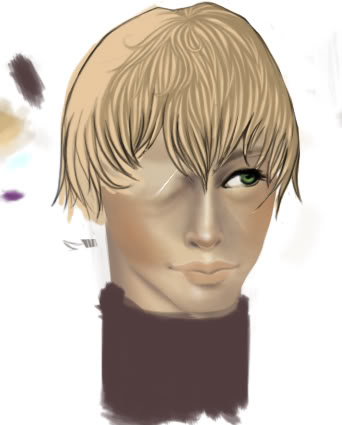
I've started do draw stuff without lines recently, and found it pretty fun.

... Well, not quite recently, as the laptop I used my tablet on is beyond repair. But still!


My initial lineart (how I was going to go about it), but then I decided to try without lines.


Wound up liking it, though I have obvious problems with shading. Can't finish it now though, as I think it's gone down with my laptop. ACK.

Was also proud of foregoing the blending tool for once, as I was constantly using it.

Love the hair tips, Nian.